
Table of Contents
Toggle10 Free AI Tools for Students: Boost Learning and Save Time
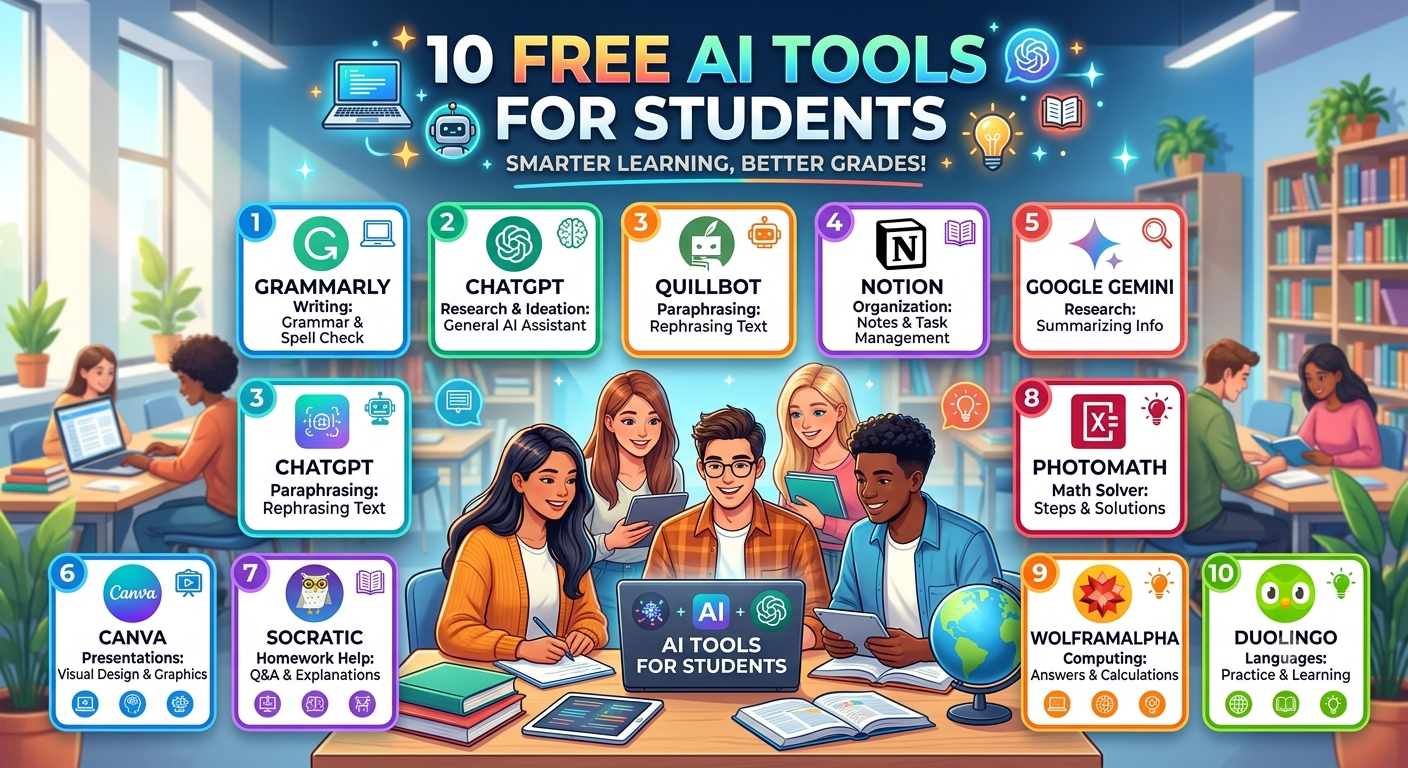
Technology has changed the way students learn, complete assignments, and prepare for exams. Today, 10 Free AI Tools for Students can help with writing, research, note-taking, presentations, grammar checking, and even solving complex problems. The best part is that many of these AI tools offer free plans, making them perfect for school and college students who want to improve their productivity without spending money.
In this blog, we will explore the best free AI tools that every student should know, their features, benefits, and how they can make studying easier.
Why Students Should Use AI Tools
AI tools are becoming an important part of education. They help students complete tasks faster and improve the quality of their work. Instead of spending hours searching for information, students can use AI to get explanations, summarize notes, and organize their study schedule.
Some major benefits include:
- Save study time
- Improve writing skills
- Understand difficult concepts
- Create presentations quickly
- Generate study notes
- Check grammar and spelling
- Increase productivity
Remember, AI should be used as a learning assistant and not as a replacement for your own understanding.
1. ChatGPT
ChatGPT is one of the most popular AI tools for students. It can explain topics in simple language, answer questions, generate essays, and help with homework.
Key Features
- Assignment help
- Essay writing
- Topic explanation
- Coding assistance
- Brainstorming ideas
- Language learning
Best For
School students, college students, and competitive exam aspirants.
2. Grammarly
Grammarly helps students write error-free assignments, emails, and essays. It checks grammar, spelling, punctuation, and sentence clarity.
Key Features
- Grammar correction
- Spell checking
- Writing suggestions
- Tone improvement
Best For
Students who want to improve English writing.
3. Canva AI
Canva AI helps students create attractive presentations, posters, resumes, and project designs.
Key Features
- AI presentation maker
- Magic Design
- Background remover
- Text-to-image
- Ready-made templates
Best For
School and college projects.
4. Google Gemini
Google Gemini is an AI assistant that helps students with research, summaries, and creative writing.
Key Features
- Quick answers
- Research support
- Content generation
- Coding help
Best For
Research and academic learning.
5. Notion AI
Notion AI helps students organize notes, create study plans, summarize lectures, and manage daily tasks.
Key Features
- Smart note-taking
- Task management
- AI summaries
- Study planning
Best For
Students who want better organization.
6. Perplexity AI
Perplexity AI is an AI-powered search assistant that provides answers with references from reliable sources.
Key Features
- Fast research
- Source citations
- Simple explanations
- Academic support
Best For
Research assignments and projects.
7. Microsoft Copilot
Microsoft Copilot works with Microsoft Office applications to improve productivity.
Key Features
- Word document assistance
- PowerPoint support
- Excel formulas
- Writing suggestions
Best For
Students using Microsoft Office.
8. QuillBot
QuillBot is widely used for paraphrasing and improving sentence structure.
Key Features
- Paraphrasing
- Grammar checking
- Summarizer
- Citation generator
Best For
Essay writing and assignment improvement.
9. Otter.ai
Otter.ai converts speech into text and creates meeting or lecture notes automatically.
Key Features
- Voice transcription
- Lecture notes
- Meeting summaries
- Searchable notes
Best For
Online classes and lectures.
10. Wolfram Alpha
Wolfram Alpha is excellent for solving mathematics, science, and engineering problems.
Key Features
- Math solutions
- Science explanations
- Graph generation
- Formula calculations
Best For
Engineering, mathematics, and science students.
How to Choose the Right AI Tool
Every student has different learning needs. Before selecting an AI tool, consider these points:
- What subject do you study?
- Do you need help with writing or research?
- Are you preparing presentations?
- Do you need note-taking support?
- Is a free version enough for your work?
Choose tools that solve your daily academic challenges instead of downloading too many apps.
Tips for Using AI Responsibly
AI tools are useful only when used wisely. Here are some simple tips:
- Always verify important facts.
- Read and understand AI-generated answers.
- Avoid copying content directly.
- Add your own ideas and examples.
- Follow your school’s academic integrity rules.
- Use AI to learn, not to cheat.
Responsible use of AI will improve your skills and confidence over time.
Free vs Paid AI Tools
Most students can start with free plans because they include enough features for everyday learning. Paid plans usually offer faster responses, more advanced AI models, additional templates, and higher usage limits.
If you only need AI for assignments, research, and presentations, the free versions are often sufficient.
Conclusion
These 10 Free AI Tools for Students can make studying easier, improve writing, simplify research, and help you stay organized. Tools like ChatGPT, Grammarly, Canva AI, Google Gemini, Notion AI, Perplexity AI, Microsoft Copilot, QuillBot, Otter.ai, and Wolfram Alpha each solve different academic problems.
Instead of depending on only one tool, choose two or three that match your learning style. Combine AI with regular study habits, practice, and critical thinking to achieve better academic results. When used correctly, AI can become one of the most valuable learning companions for every student.